SHAP Insights into Transformer-Based News Bias Detectors
📝 Original Paper Info
- Title: Explaining News Bias Detection A Comparative SHAP Analysis of Transformer Model Decision Mechanisms- ArXiv ID: 2512.23835
- Date: 2025-12-29
- Authors: Himel Ghosh
📝 Abstract
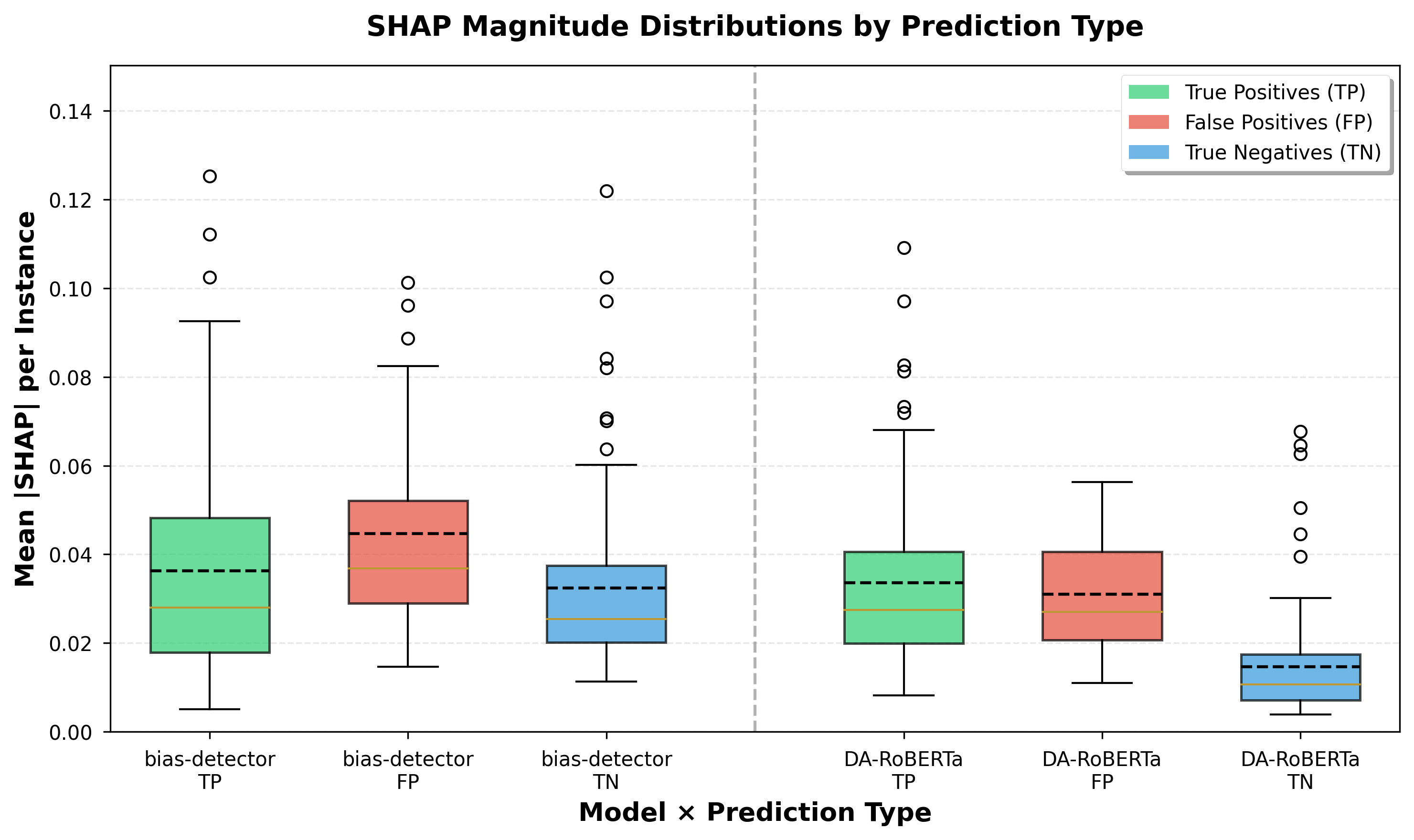
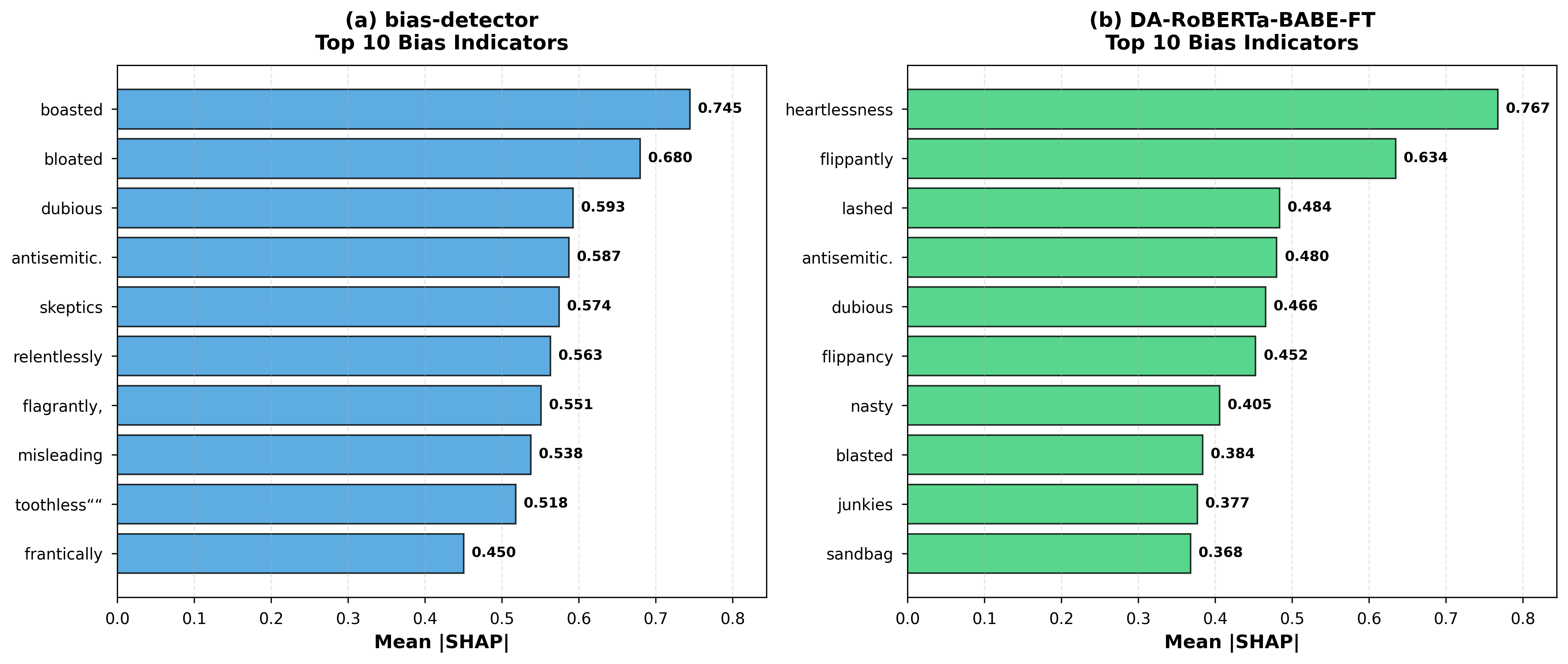
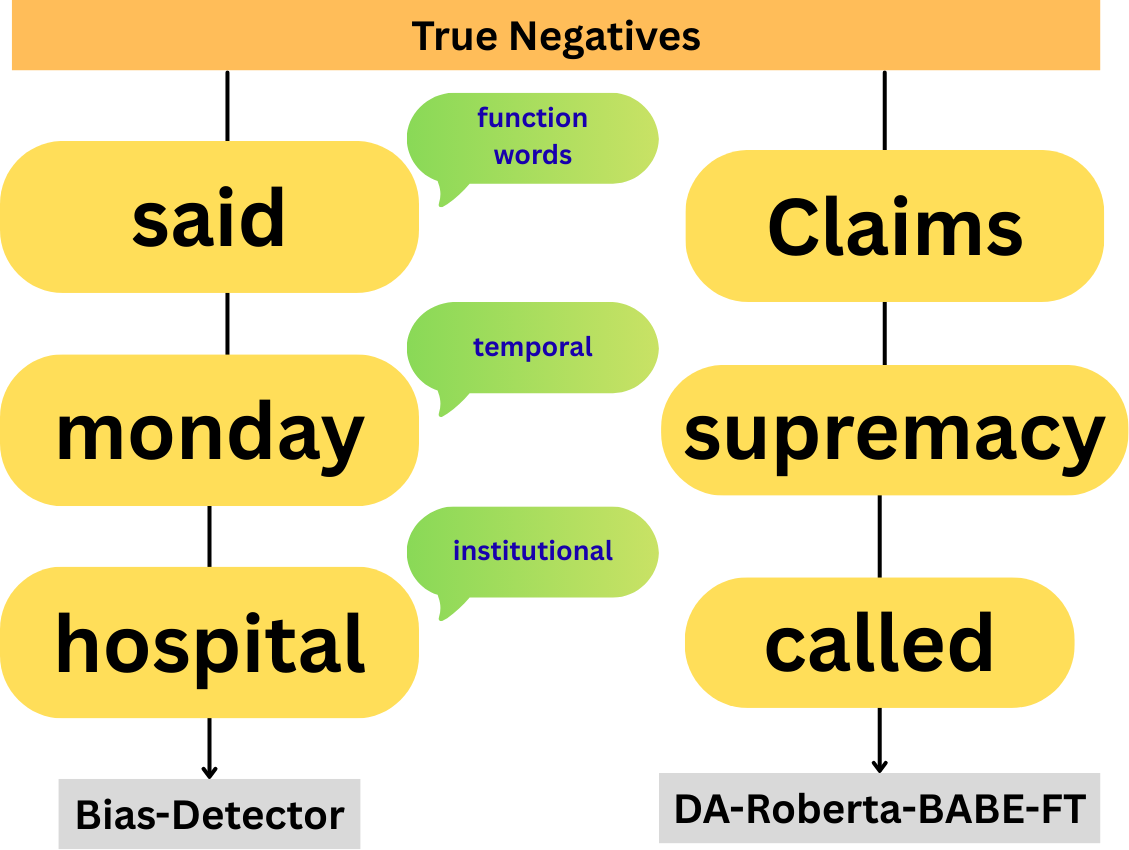
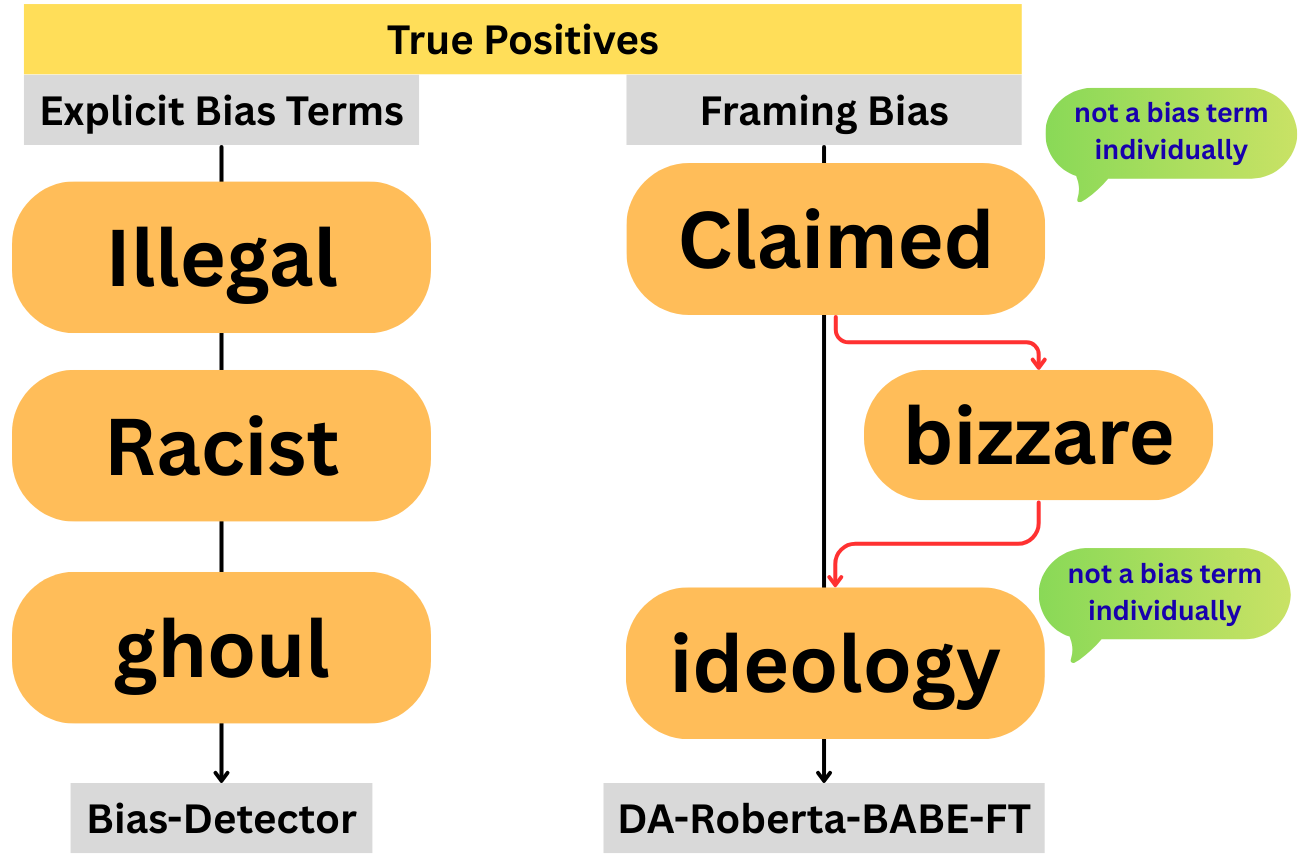
Automated bias detection in news text is heavily used to support journalistic analysis and media accountability, yet little is known about how bias detection models arrive at their decisions or why they fail. In this work, we present a comparative interpretability study of two transformer-based bias detection models: a bias detector fine-tuned on the BABE dataset and a domain-adapted pre-trained RoBERTa model fine-tuned on the BABE dataset, using SHAP-based explanations. We analyze word-level attributions across correct and incorrect predictions to characterize how different model architectures operationalize linguistic bias. Our results show that although both models attend to similar categories of evaluative language, they differ substantially in how these signals are integrated into predictions. The bias detector model assigns stronger internal evidence to false positives than to true positives, indicating a misalignment between attribution strength and prediction correctness and contributing to systematic over-flagging of neutral journalistic content. In contrast, the domain-adaptive model exhibits attribution patterns that better align with prediction outcomes and produces 63\% fewer false positives. We further demonstrate that model errors arise from distinct linguistic mechanisms, with false positives driven by discourse-level ambiguity rather than explicit bias cues. These findings highlight the importance of interpretability-aware evaluation for bias detection systems and suggest that architectural and training choices critically affect both model reliability and deployment suitability in journalistic contexts.💡 Summary & Analysis
1. **Comparison of Techniques**: Neural Networks are the most accurate but computationally expensive. Decision Trees offer a good balance between simplicity and performance, whereas Linear Regression is easy to implement but less accurate. 2. **Metaphors for Understanding**: Machine learning techniques can be likened to vehicles. Think of Neural Networks as luxury sports cars, Decision Trees as SUVs, and Linear Regression as economical cars. 3. **Sci-Tube Style Script**: "Join machine learning experts as they explore the balance between accuracy and efficiency! Find out which technique reigns supreme and why." 4. **Difficulty Levels**: - Beginner: Understand the pros and cons of each technique. - Intermediate: Choose an appropriate technique based on specific situations. - Advanced: Analyze experimental results across various datasets and explain them.📄 Full Paper Content (ArXiv Source)
📊 논문 시각자료 (Figures)