ORCHID: Orchestrated Retrieval-Augmented Classification with Human-in-the-Loop Intelligent Decision-Making for High-Risk Property
Reading time: 2 minute
...
📝 Original Info
- Title: ORCHID: Orchestrated Retrieval-Augmented Classification with Human-in-the-Loop Intelligent Decision-Making for High-Risk Property
- ArXiv ID: 2511.04956
- Date: 2025-11-07
- Authors: ** 논문에 명시된 저자 정보가 제공되지 않았습니다. **
📝 Abstract
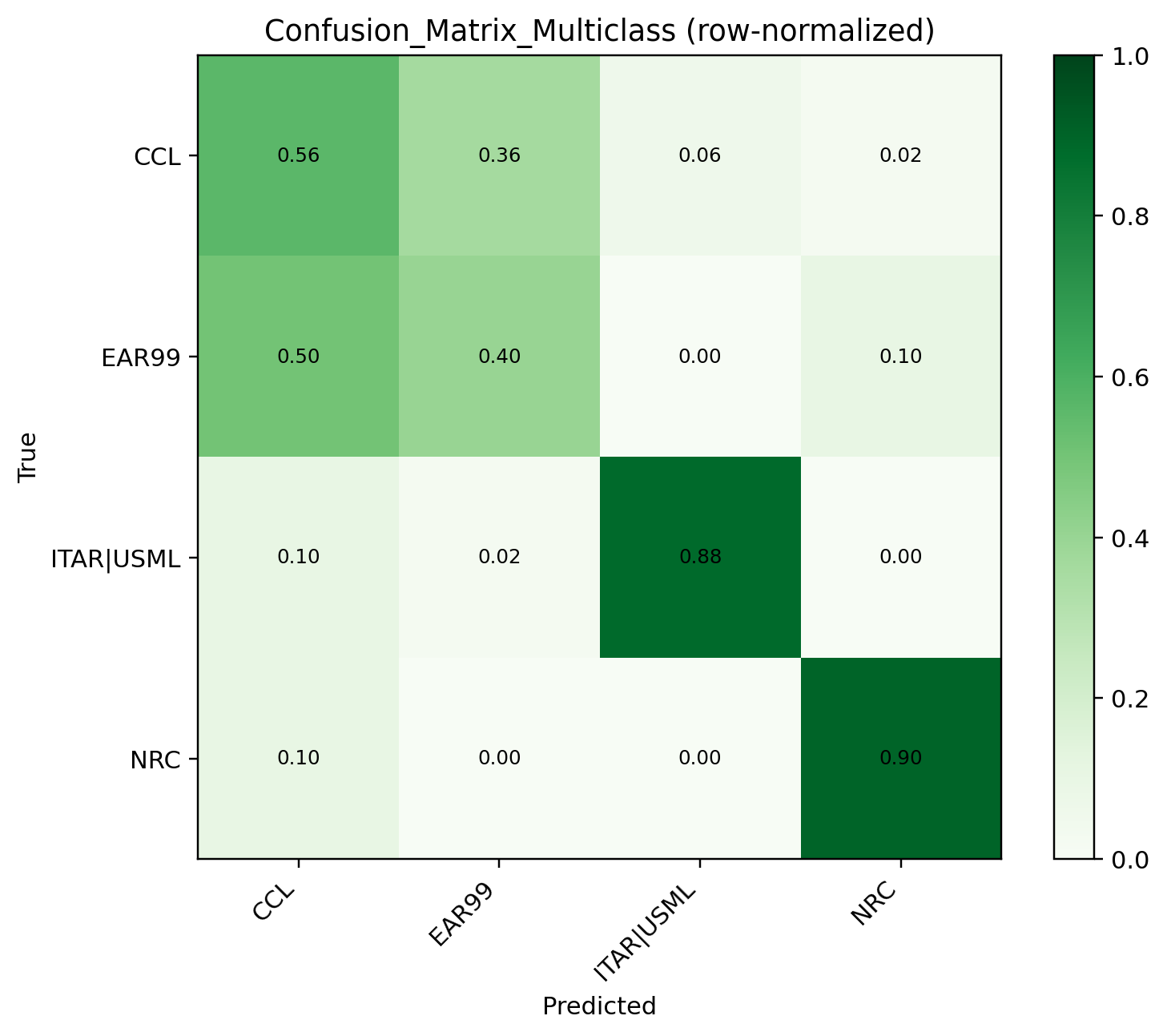
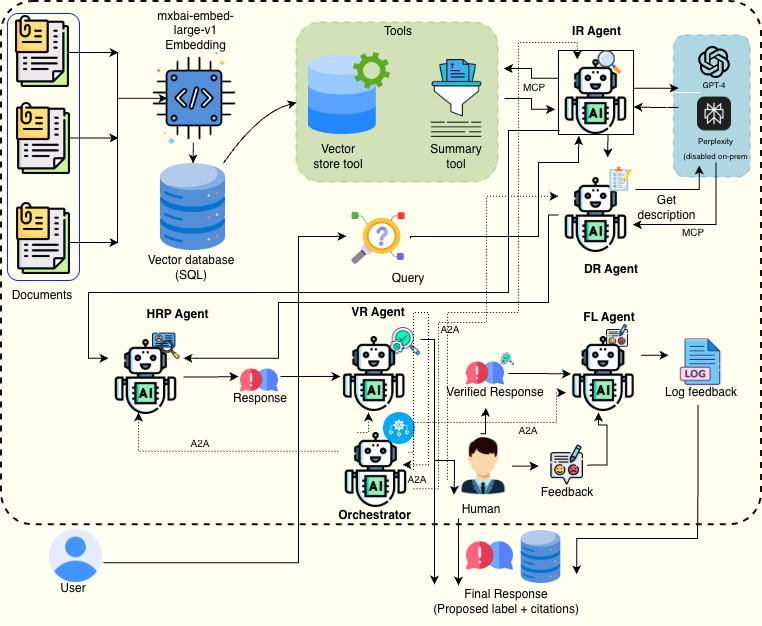
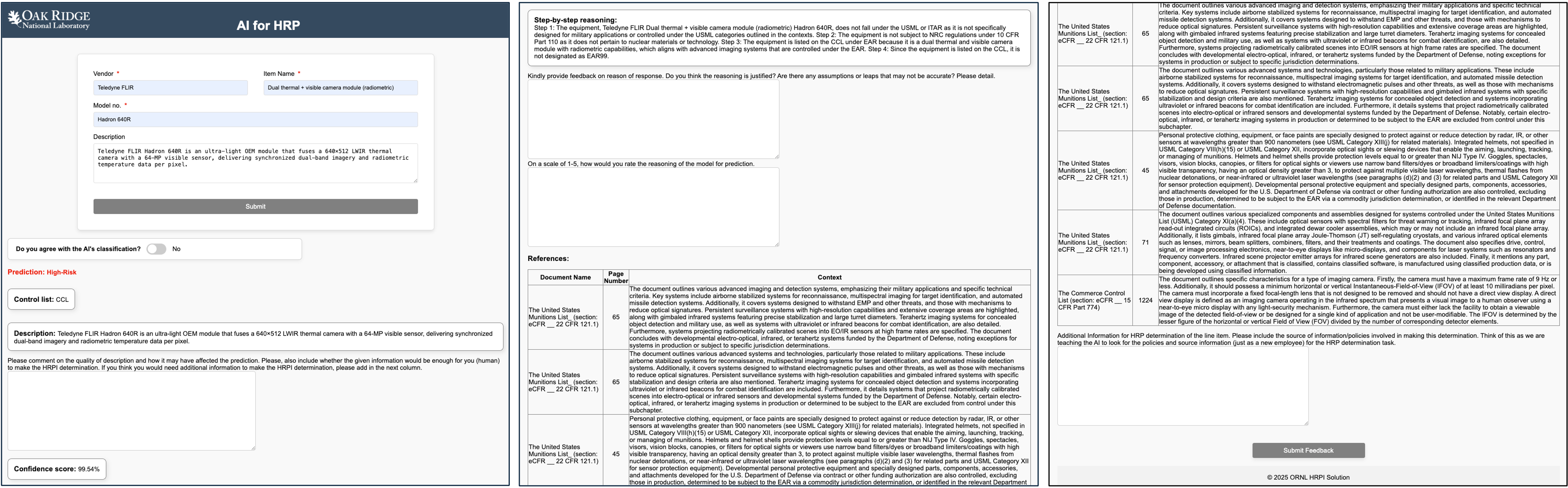
High-Risk Property (HRP) classification is critical at U.S. Department of Energy (DOE) sites, where inventories include sensitive and often dual-use equipment. Compliance must track evolving rules designated by various export control policies to make transparent and auditable decisions. Traditional expert-only workflows are time-consuming, backlog-prone, and struggle to keep pace with shifting regulatory boundaries. We demo ORCHID, a modular agentic system for HRP classification that pairs retrieval-augmented generation (RAG) with human oversight to produce policy-based outputs that can be audited. Small cooperating agents, retrieval, description refiner, classifier, validator, and feedback logger, coordinate via agent-to-agent messaging and invoke tools through the Model Context Protocol (MCP) for model-agnostic on-premise operation. The interface follows an Item to Evidence to Decision loop with step-by-step reasoning, on-policy citations, and append-only audit bundles (run-cards, prompts, evidence). In preliminary tests on real HRP cases, ORCHID improves accuracy and traceability over a non-agentic baseline while deferring uncertain items to Subject Matter Experts (SMEs). The demonstration shows single item submission, grounded citations, SME feedback capture, and exportable audit artifacts, illustrating a practical path to trustworthy LLM assistance in sensitive DOE compliance workflows.💡 Deep Analysis
📄 Full Content
📸 Image Gallery
Reference
This content is AI-processed based on open access ArXiv data.