Causal Masking on Spatial Data: An Information-Theoretic Case for Learning Spatial Datasets with Unimodal Language Models
📝 Original Info
- Title: Causal Masking on Spatial Data: An Information-Theoretic Case for Learning Spatial Datasets with Unimodal Language Models
- ArXiv ID: 2510.27009
- Date: 2025-10-30
- Authors: ** 정보 없음 (원본 논문에 저자 정보가 제공되지 않았습니다.) **
📝 Abstract
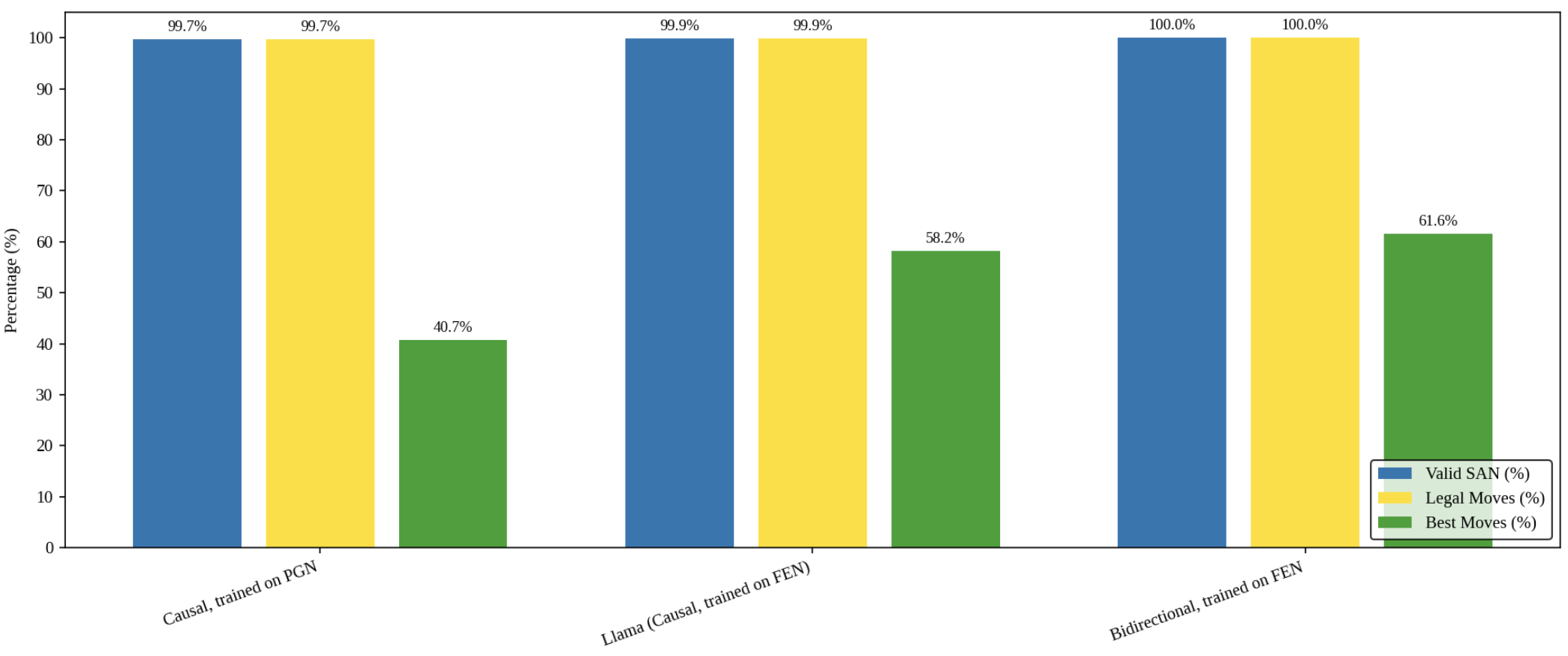
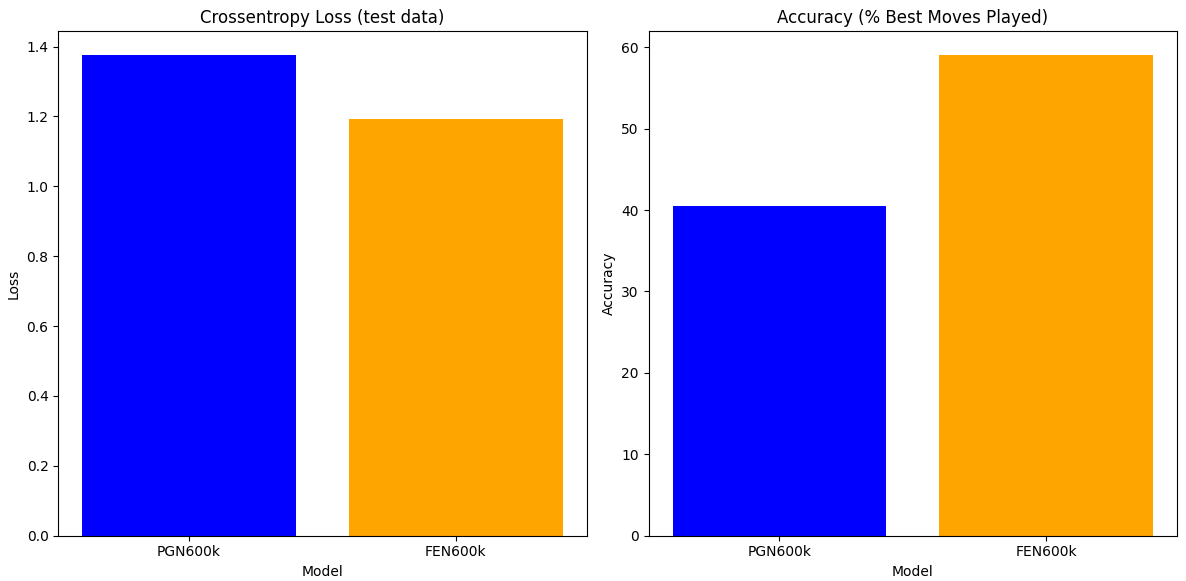
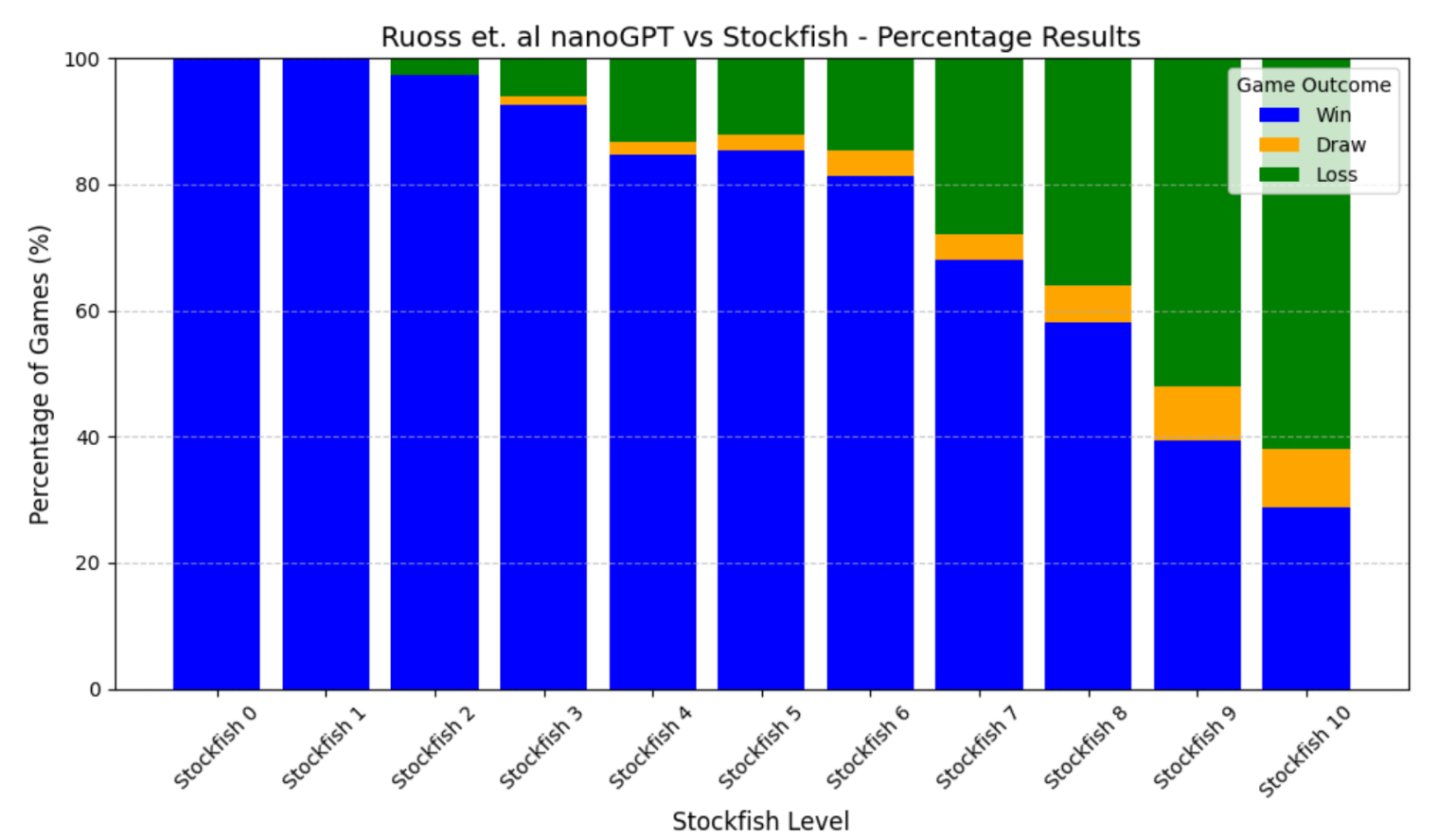
Language models are traditionally designed around causal masking. In domains with spatial or relational structure, causal masking is often viewed as inappropriate, and sequential linearizations are instead used. Yet the question of whether it is viable to accept the information loss introduced by causal masking on nonsequential data has received little direct study, in part because few domains offer both spatial and sequential representations of the same dataset. In this work, we investigate this issue in the domain of chess, which naturally supports both representations. We train language models with bidirectional and causal self-attention mechanisms on both spatial (board-based) and sequential (move-based) data. Our results show that models trained on spatial board states - \textit{even with causal masking} - consistently achieve stronger playing strength than models trained on sequential data. While our experiments are conducted on chess, our results are methodological and may have broader implications: applying causal masking to spatial data is a viable procedure for training unimodal LLMs on spatial data, and in some domains is even preferable to sequentialization.💡 Deep Analysis
📄 Full Content
📸 Image Gallery
Reference
This content is AI-processed based on open access ArXiv data.