Agentic Meta-Orchestrator for Multi-task Copilots
Reading time: 2 minute
...
📝 Original Info
- Title: Agentic Meta-Orchestrator for Multi-task Copilots
- ArXiv ID: 2510.22781
- Date: 2025-10-26
- Authors: ** 정보 제공되지 않음 **
📝 Abstract
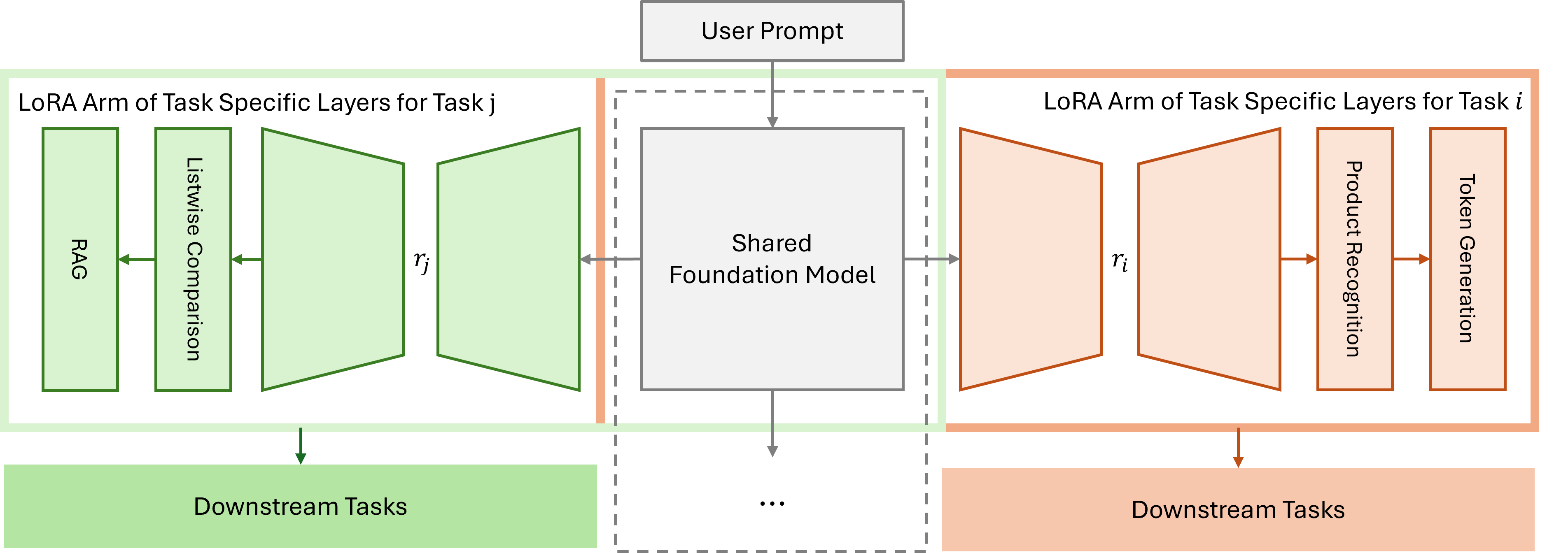
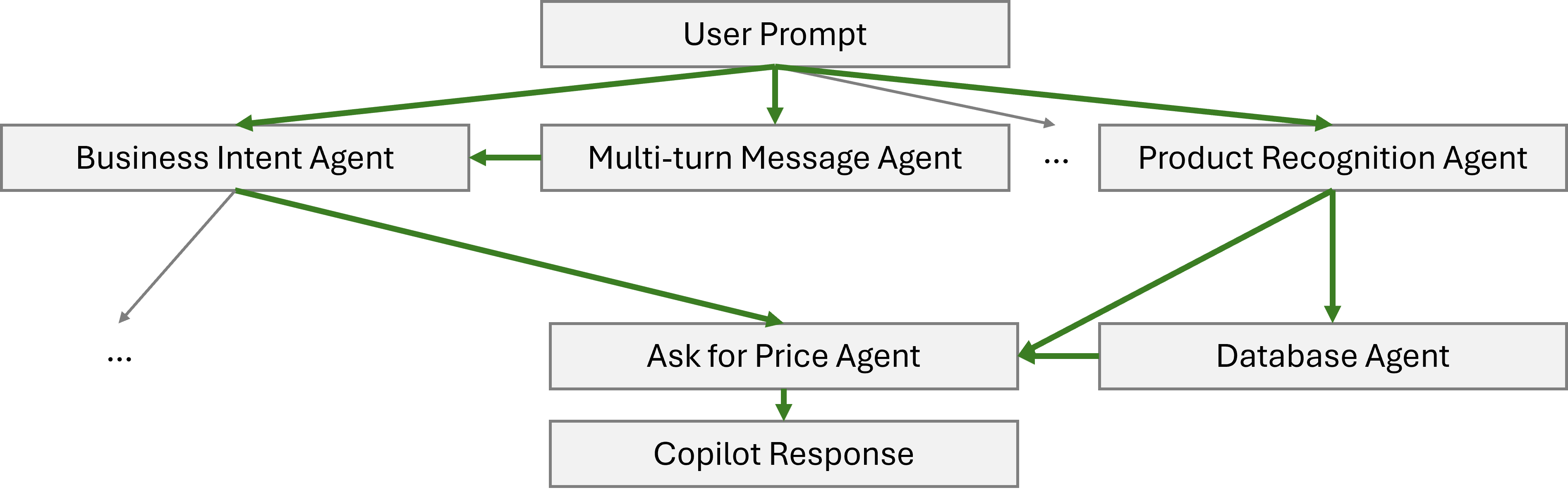
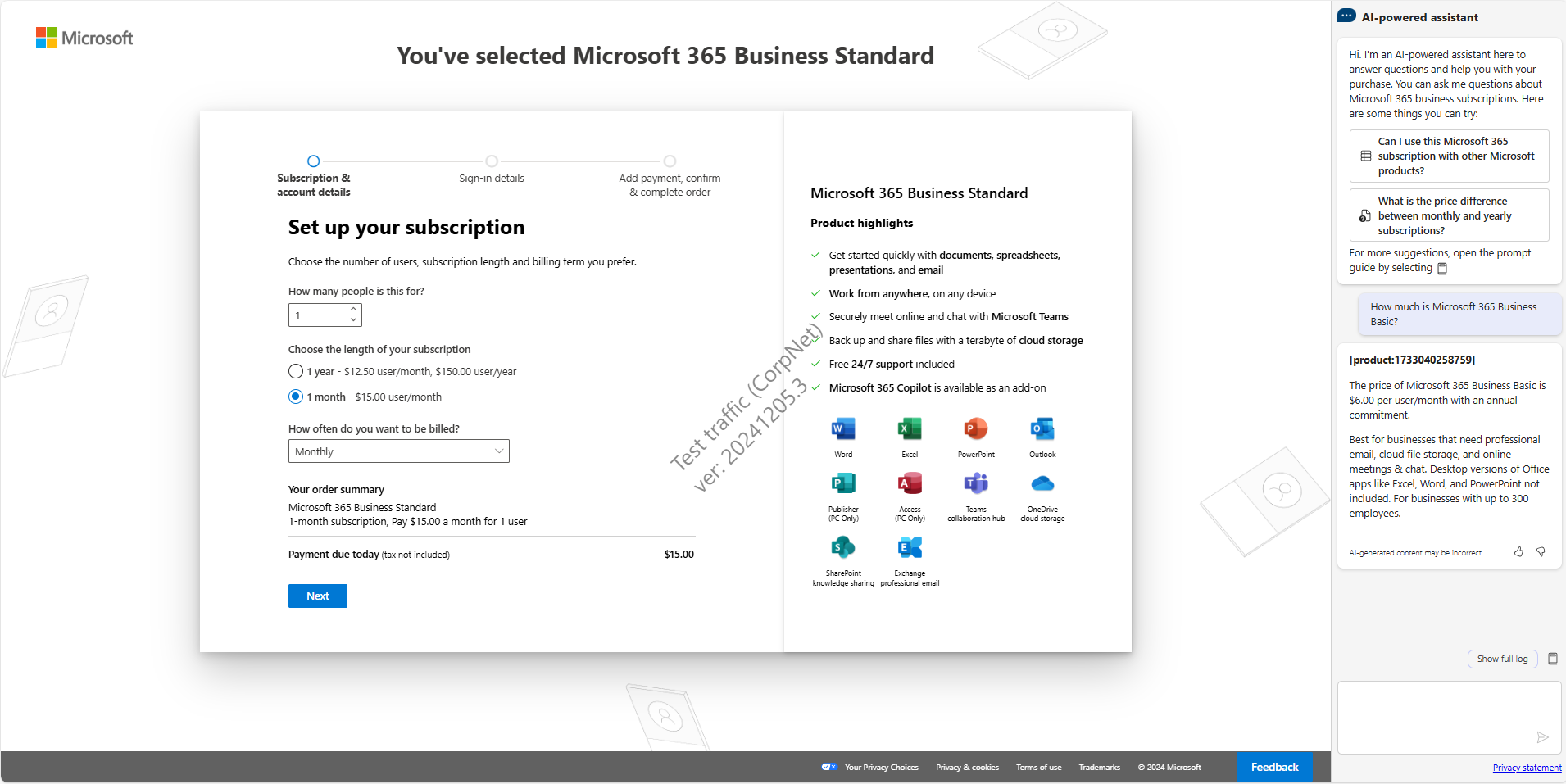
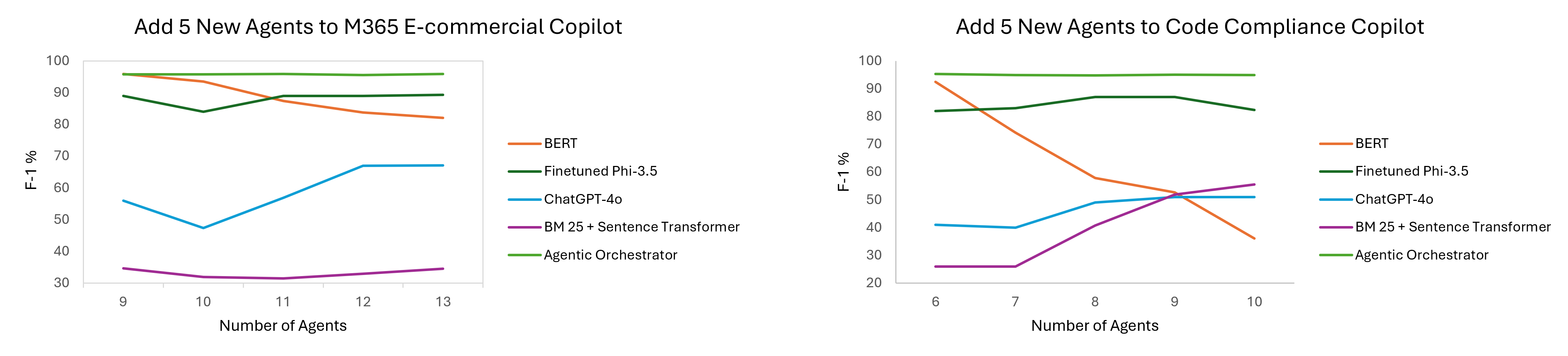
Microsoft Copilot suites serve as the universal entry point for various agents skilled in handling important tasks, ranging from assisting a customer with product purchases to detecting vulnerabilities in corporate programming code. Each agent can be powered by language models, software engineering operations, such as database retrieval, and internal \& external knowledge. The repertoire of a copilot can expand dynamically with new agents. This requires a robust orchestrator that can distribute tasks from user prompts to the right agents. In this work, we propose an Agentic Meta-orchestrator (AMO) for handling multiple tasks and scalable agents in copilot services, which can provide both natural language and action responses. We will also demonstrate the planning that leverages meta-learning, i.e., a trained decision tree model for deciding the best inference strategy among various agents/models. We showcase the effectiveness of our AMO through two production use cases: Microsoft 365 (M365) E-Commerce Copilot and code compliance copilot. M365 E-Commerce Copilot advertises Microsoft products to external customers to promote sales success. The M365 E-Commerce Copilot provides up-to-date product information and connects to multiple agents, such as relational databases and human customer support. The code compliance copilot scans the internal DevOps code to detect known and new compliance issues in pull requests (PR).💡 Deep Analysis
📄 Full Content
📸 Image Gallery
Reference
This content is AI-processed based on open access ArXiv data.