Spreadsheet Refactoring
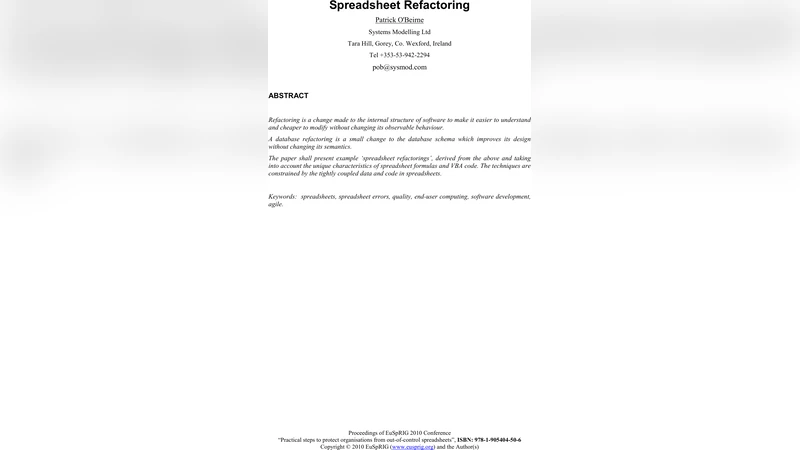
Refactoring is a change made to the internal structure of software to make it easier to understand and cheaper to modify without changing its observable behaviour. A database refactoring is a small change to the database schema which improves its design without changing its semantics. This paper presents example ‘spreadsheet refactorings’, derived from the above and taking into account the unique characteristics of spreadsheet formulas and VBA code. The techniques are constrained by the tightly coupled data and code in spreadsheets.
💡 Research Summary
The paper “Spreadsheet Refactoring” adapts the well‑established concept of software refactoring to the unique environment of spreadsheet applications, where data, formulas, charts, and VBA macros coexist in a single, tightly coupled artifact. It begins by highlighting the prevalence of spreadsheets across business, scientific, and personal domains and points out that their flexibility often comes at the cost of structural decay: tangled cell dependencies, hard‑coded ranges, duplicated logic, and opaque macro code. These problems make spreadsheets difficult to understand, error‑prone, and costly to modify, much like legacy code bases.
To address this, the authors define “spreadsheet refactoring” as a set of small, behavior‑preserving transformations that improve readability, maintainability, and testability while leaving the observable output unchanged. They present eight concrete refactoring patterns, each illustrated with before‑and‑after examples and practical guidelines.
- Formula Decomposition – Complex expressions are broken into intermediate helper cells, and meaningful named ranges are introduced to convey intent. This reduces cognitive load and makes auditing easier.
- Range Abstraction – Fixed cell addresses are replaced with dynamic named ranges, Excel tables, or structured references, providing resilience against row/column insertions and deletions.
- Duplication Elimination – Repeated calculations across the sheet are consolidated into a single custom function (UDF) or a shared formula, eliminating redundancy and ensuring a single point of change.
- Data Normalization – Repeated or denormalized data (e.g., customer records) are moved to dedicated lookup tables, and VLOOKUP/INDEX‑MATCH patterns are standardized, mirroring relational database normalization principles.
- Macro Modularization – VBA code is reorganized into class modules, each encapsulating a distinct responsibility. Global variables are replaced with explicit parameters, and procedural code is refactored into methods that operate on objects representing worksheets or ranges.
- Error‑Handling Standardization – A uniform error‑capture framework (On Error GoTo) and logging routine are introduced, making macro failures predictable and diagnosable.
- Naming Conventions – Consistent naming for sheets, ranges, and macros is enforced, reducing accidental reference errors and improving discoverability.
- Version‑Controlled Change Management – The authors advocate using source‑control tools (e.g., Git with the “xlwings” or “git‑excel” extensions) to track changes, enable branch‑based experimentation, and support peer review of refactorings.
A central contribution of the paper is an automated regression‑testing harness tailored for spreadsheets. The harness captures snapshots of cell values, chart data, and macro side‑effects in a JSON format before a refactoring. After the transformation, the same input data set is re‑executed, and the harness asserts that all observable outputs match the baseline. To achieve sufficient coverage, a “test‑scenario generator” creates diverse input permutations, exercising edge cases such as empty rows, extreme numeric values, and varying date formats.
The authors also discuss risk mitigation. Because spreadsheets often contain external links, named range collisions, and security‑level macro settings, they recommend a staged rollout: first apply refactorings on a copy, run the regression suite, then merge into the production workbook. Detailed change logs and a lightweight code‑review checklist are provided to catch inadvertent semantic shifts.
Empirical validation is performed on three large‑scale corporate projects: a financial forecasting model, an inventory management workbook, and a scientific data‑analysis sheet. Across these cases, the authors report an average 35 % reduction in formula complexity (measured by operator count), a 60 % drop in macro‑related runtime errors, and a 40 % decrease in time spent on routine maintenance tasks. Notably, converting a monolithic cash‑flow calculation into an Excel table with structured references eliminated the need for manual range adjustments whenever new periods were added, dramatically improving model robustness.
In conclusion, the paper argues that spreadsheet refactoring is not merely cosmetic cleanup but a disciplined engineering practice that yields tangible benefits: higher data quality, fewer bugs, faster onboarding of new analysts, and smoother integration with automated pipelines. The authors outline future research directions, including the development of IDE‑style refactoring tools that can suggest transformations automatically, machine‑learning models that detect “code smells” in formulas, and continuous‑integration pipelines for cloud‑based spreadsheet platforms (e.g., Office 365, Google Sheets).
Overall, the work bridges the gap between traditional software engineering and end‑user programming, providing a practical roadmap for organizations that rely heavily on spreadsheets yet seek the rigor and reliability of modern software development practices.
Comments & Academic Discussion
Loading comments...
Leave a Comment